What Is AI Garden Design?
AI garden design is software that generates a photorealistic garden image from a photographed, drawn or written input, preserving the yard’s boundaries, terrain and camera perspective. The same tool is called an AI garden planner. It belongs to landscape rendering, one of the six types of architectural rendering, and it replaces the concept phase of the garden design process — a manual CAD garden layout of 4–8 hours — not the planting plan and not the build.
What the seconds contain is a three-step workflow.

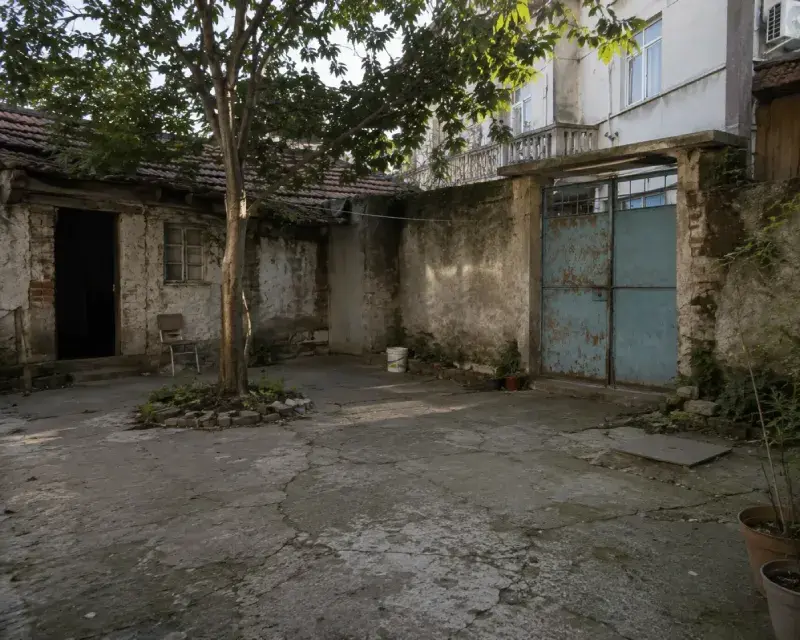
GARDEN PHOTO
RENDER
AI Garden Design
AI garden design is the process of generating a photorealistic image of a planted outdoor space — its planting beds, lawn, paths and seating areas — from a photo, sketch, plan or text prompt. Landscape and garden designers use it for planting-style options, architects for the garden context around buildings, and real estate professionals for outdoor staging. ArchiGPT renders gardens with AI in seconds, in the upload box at the top of this page.
No learning curve
No GPU needed
Photorealistic results
How Do You Design a Garden with AI?
A daylight photo showing the full yard boundary produces noticeably better output than a cropped snapshot. The most common starting point is the space behind the house. A garden is designed with AI in 4 steps: upload, describe, select, generate.
1. Upload a yard photo, garden sketch or site plan as JPG or PNG — up to 4 images per generation.
How Do You Design a Flower Garden with AI?
A flower garden is designed with AI by naming the bed shape, flower palette and bloom season in the prompt. “Cottage flower garden with layered perennial borders, a pink-and-white palette, brick edging and soft morning light” renders the bed structure, heights and color rhythm in one generation. The render shows structure and palette; the exact perennials are confirmed with the plants rule below.
What Is the Difference Between Garden Design and Landscape Design?
Garden design plans the planted space — beds, lawn, plant selection and seating — usually at residential scale; landscape design covers the whole outdoor site, including hardscape, grading, drainage and structures. The AI workflow is identical; the scope of the prompt differs.
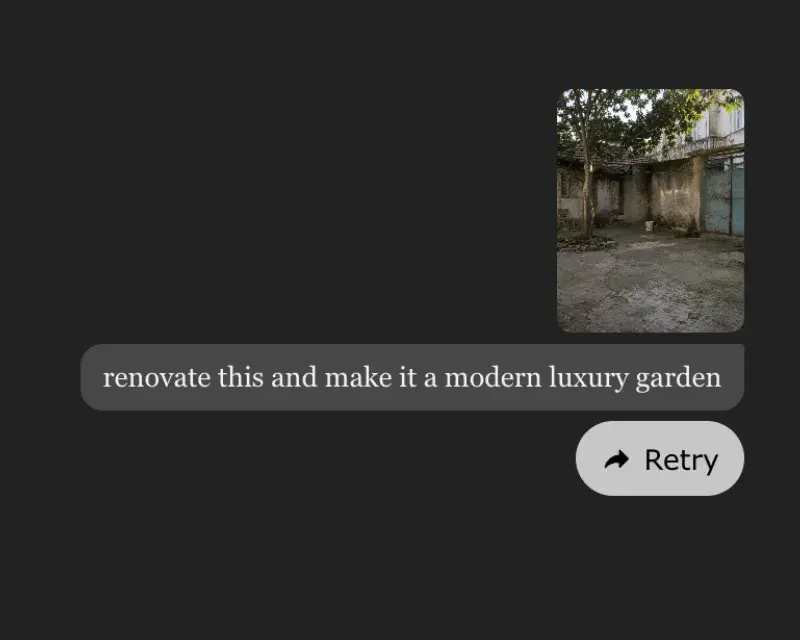
2. Describe the garden style, planting character and materials in the prompt box and select the render style.

3. Generate and download the garden render.
Which Inputs Can Be Used for AI Garden Design?
Whatever the input, the yard’s geometry survives; the style layered on top is the design decision. The inputs that can be used for AI garden design are listed below.

Yard photo
An existing garden or bare yard — redesigns shown on the real yard.
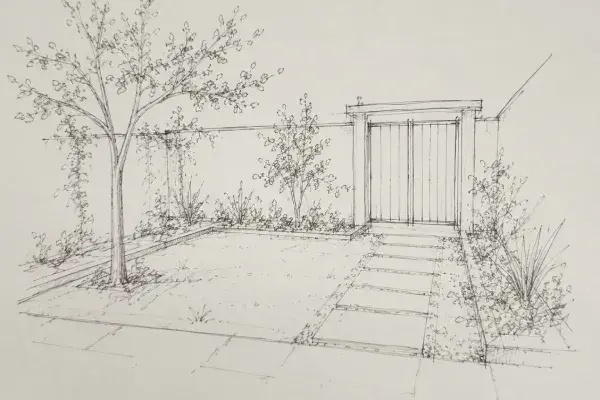
Garden sketch
Concept line work of beds, paths and zones renders directly.

Site plan
A top-down plan becomes a planted perspective view or a colored plan.

Exterior render
First garden concepts when no visual input exists yet.
Which Garden Styles Can Be Applied?
The garden styles that can be applied include modern, cottage, Mediterranean, Japanese (zen), tropical, formal, rock garden and drought-tolerant (xeriscape) — one yard re-rendered in every style, one generation per style.
The prompt structure that works is:
Style
“Mediterranean courtyard garden with olive trees, lavender borders, gravel paths and warm evening light.”
Planting character + Materials
Lighting
One garden type is asked about more than any other.
Who Uses AI Garden Design?
Landscape and garden designers
Planting-style options approved in one client meeting — five styles cost five generations.
Architects
Garden context around buildings rendered from site plans, proportions exact.
Real estate professionals
Bare outdoor spaces staged into planted gardens before listing photography.
Homeowners
Renovation, repaint and remodel previews from one photo.
Upload a yard photo above and generate the first garden render now.
/
Basic
Perfect for personal and casual use cases.
$19
/month
billed monthly
100 images
Commercial use
Variation
Render history
Upscale
Pro
Most popular
Designed for creators ready to level up.
$39
/month
billed monthly
250 images
Commercial use
Variation
Render history
Upscale
Premium
Ideal for professionals and power users.
$79
/month
billed monthly
500 images
Commercial use
Variation
Render history
Upscale
Ultra
Built for teams, studios, and high-volume creators
$149
/month
billed monthly
1000 images
Commercial use
Variation
Render history
Upscale
Basic
Perfect for personal and casual use cases.
$10
/month
billed yearly $120
6 months free
100 images
Commercial use
Variation
Render history
Upscale
Pro
Most popular
Designed for creators ready to level up.
$20
/month
billed yearly $240
6 months free
250 images
Commercial use
Variation
Render history
Upscale
Premium
Ideal for professionals and power users.
$40
/month
billed yearly $480
6 months free
500 images
Commercial use
Variation
Render history
Upscale
Ultra
Built for teams, studios, and high-volume creators
$75
/month
billed yearly $900
6 months free
1000 images
Commercial use
Variation
Render history
Upscale
One time payment
One-time
$49
/month
billed one time - NO subscription
250 images
Commercial use
Variation
Render history
Upscale
Expires in 30 days
Is There a Free AI Garden Design Tool?
Yes — ArchiGPT generates free trial garden renders in the browser; ongoing use needs a plan from $19 per month or the $49 one-time package. Free consumer tools trade that price for resolution caps and missing commercial rights — workable for inspiration, not for client or listing use.
Is There an AI Garden Design App?
Yes and no — ArchiGPT runs as a web app in the browser on desktop, tablet and phone; no App Store install is required. A garden started from a phone photo in the yard is finished on a desktop at full size.
Can AI Choose Plants for a Garden Design?
AI garden design shows planting character — bed shapes, heights, colors and density — but it does not verify plant species for a site. Species selection depends on the hardiness zone, soil and sun exposure of the specific yard, and it is verified against a regional database such as the USDA Plant Hardiness Zone Map in the US.
The working practice: name the planting character and let a designer or nursery confirm species. Privacy planting is the clearest case — prompt “evergreen screening hedge along the back fence” and the render shows height, density and placement; whether it is arborvitae or laurel is a local decision. Shaded yards follow the same rule. This division of labor is also where the cost is decided.
Can ChatGPT design a garden?
ChatGPT writes plant lists and prompts, but it does not render the design onto the real yard photo — that is the job of an AI garden design tool.
Can AI design a vegetable garden?
Yes — raised beds, rows and paths render from a photo or plan; the planting calendar stays a manual decision.
Can AI redesign an existing garden from a photo?
Yes — boundaries, terrain and perspective stay fixed while the planting changes.
Does AI garden design work from a site plan?
Yes — a top-down plan generates a planted perspective or a colored plan.
Can the same yard be rendered in several styles?
Yes — one generation per style.
Can garden renders be used commercially?
Yes — all plans include commercial usage rights.
Is AI Garden Design Accurate Enough for Client Presentations?
Yes — AI garden design is accurate enough for concept and style presentations; planting plans and construction documentation still require a designer. Two practices raise accuracy: photograph the yard in daylight with the full boundary visible, and name planting character and materials explicitly in the prompt.