Updated on: 21 May 2026
Previous post
Add paragraph text. Click “Edit Text” to update the font, size and more. To change and reuse text themes, go to Site Styles.
Next post
Add paragraph text. Click “Edit Text” to update the font, size and more. To change and reuse text themes, go to Site Styles.
Every great building starts with a conversation between disciplines, not a single genius sketching alone. In 2026, architecture design collaboration has evolved into a structured, technology-driven practice that unites architects, interior designers, engineers, clients, and real estate professionals around shared goals.
This guide walks you through the fundamentals, the best tools and AI-powered workflows available today, proven strategies for cross-disciplinary teams, and real-world examples that show collaboration in action.
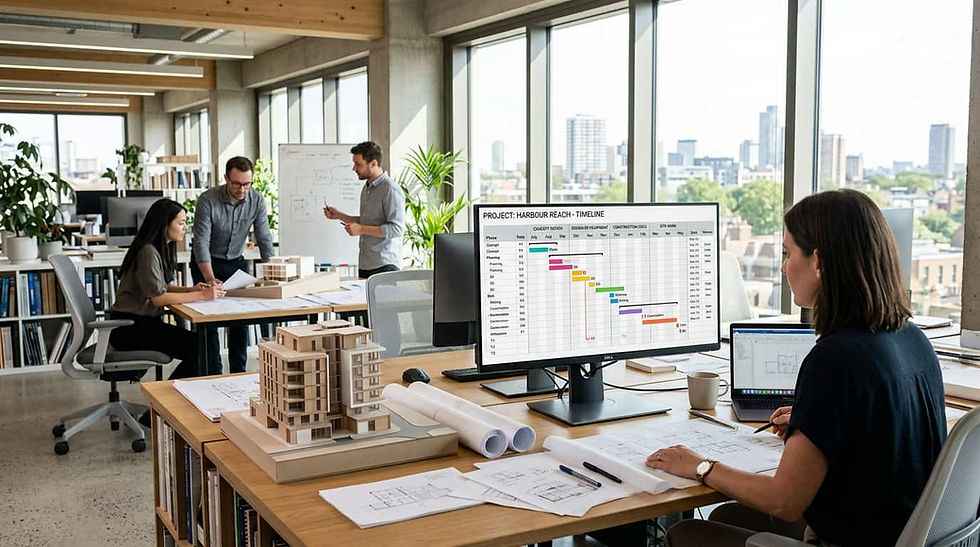
Modern architecture teams collaborate using shared digital platforms that connect BIM models, AI visualization, and real-time communication tools.
What Is Architecture Design Collaboration?
Core Definition and Scope
Architecture design collaboration is the structured process of multiple stakeholders co-creating building and space designs using shared tools, workflows, and communication protocols from concept through construction. It spans ideation, schematic design, design development, construction documentation, and post-occupancy evaluation.
The scope extends beyond simply sharing files. It encompasses real-time co-authoring, design review processes, clash detection, decision documentation, and stakeholder alignment across every project phase.
Who Collaborates in Architecture Projects?
Architecture projects involve a wide range of contributors. Each participant brings unique expertise and requirements to the collaborative design process.
Principal architects and design leads who establish the creative vision
Interior designers who develop spatial programming, finishes, and FF&E selections
Structural, mechanical, and electrical engineers who ensure buildability
Urban planners who align projects with community and zoning requirements
Real estate agencies and developers who translate design into marketable outcomes
Clients and end users who provide functional requirements and feedback
General contractors who advise on constructability and cost
How Collaboration Differs Across Project Phases?
During schematic design, collaboration is fluid and exploratory. Teams generate multiple concepts, share moodboards, and conduct design charrettes. Speed and creative breadth matter more than precision.
In the design development phase, collaboration becomes more technical. BIM models serve as the single source of truth, and clash detection protocols identify conflicts between disciplines before they reach construction drawings.
At the construction documentation stage, collaboration focuses on coordination. Naming conventions, version control, and annotation standards ensure every consultant works from the same baseline. Integrated project delivery (IPD) contracts formalize these expectations across US firms following AIA standards.

Why Collaboration Matters in Architecture and Design?
Business Impact - Reduced Rework and Faster Delivery
Effective architecture design collaboration can significantly reduce rework - industry research from organizations including the AIA and McKinsey suggests that integrated project delivery approaches reduce coordination-related rework by 20 to 30 percent compared to traditional design-bid-build methods. Fewer coordination errors translate directly into fewer change orders during construction.
Shortened feedback loops compress timelines. When all stakeholders review designs on a shared platform, decisions that once took weeks happen in days. This directly impacts profitability for firms billing on fixed-fee contracts.
Creative Benefits - Better Design Through Diverse Perspectives
Design quality improves when perspectives multiply. An engineer's structural insight might unlock a facade option the architect hadn't considered. An interior designer's material knowledge can reshape a spatial concept early enough to avoid costly revisions.
Collaborative ideation sessions - whether in-person charrettes or digital whiteboarding workshops - generate more design iterations in less time. More iterations mean better final outcomes.
Why Collaboration Matters for Interior Designers and Urban Planners?
Interior designers often join projects after key architectural decisions are made. Early collaboration ensures spatial planning accounts for furniture layouts, lighting zones, and material transitions from the start.
Urban planners benefit from collaborative tools that visualize how individual buildings relate to streetscapes, public spaces, and transit networks. Community-driven design collaboration requires platforms that translate technical drawings into accessible visual formats - such as tools that generate renders from elevation drawings for public presentations.
The Real Estate Agency Perspective - From Concept to Marketable Space
Real estate agencies need to market spaces before construction begins. Collaborative design workflows that produce high-quality visualizations early let agencies pre-sell or pre-lease with greater confidence.
When agencies participate in the design process rather than receiving finished drawings, they can advocate for features that increase market value. AI-powered visualization tools make this participation practical even for non-technical team members.

Key Challenges in Architectural Design Collaboration
Version Control and File Management Conflicts
Version control remains one of the most persistent pain points in architecture design collaboration. When multiple consultants work on overlapping model elements, conflicts emerge. Without strict naming conventions and check-in/check-out protocols, teams lose hours reconciling competing file versions.
The problem intensifies on projects using mixed software ecosystems. Exporting between Revit, ArchiCAD, and Vectorworks through IFC format introduces data loss that requires manual cleanup - a well-documented limitation of current interoperability standards.
Communication Breakdowns Across Disciplines
Architects, engineers, and interior designers use different terminology for the same elements. A "partition" to one team is a "wall type" to another. These language gaps cause specification errors and RFI chains during construction.
Email-based communication scatters decisions across inboxes. Without a centralized decision log, teams repeat discussions and lose alignment on previously resolved issues.
Managing Remote and Multi-Office Design Teams
Multi-office architecture firms face timezone challenges that disrupt synchronous collaboration. A New York studio and a Los Angeles satellite have only five overlapping working hours. International projects compress this further.
Remote collaboration also introduces bandwidth and security concerns. Large BIM models require robust cloud infrastructure, and client confidentiality demands secure access controls. The IFC technical standards maintained by buildingSMART aim to address interoperability challenges, though practical implementation still requires careful planning.
Resolving Design Conflicts Between Stakeholders
Design conflict resolution requires a clear hierarchy of priorities. When an architect's aesthetic vision conflicts with an engineer's structural requirement, teams need pre-agreed protocols for arbitration.
Client-driven changes late in the process compound these conflicts. Collaborative workflows that surface client feedback earlier - through rapid visualization and concept generation - reduce the frequency of disruptive late-stage revisions.

Best Tools for Architecture Design Collaboration in 2026
BIM Platforms - Revit, ArchiCAD, and Vectorworks
BIM platforms remain the backbone of technical architecture design collaboration. Revit dominates the US market for large commercial projects, with worksharing capabilities that let multiple users edit a central model simultaneously.
ArchiCAD offers strong collaboration through its Teamwork feature and excels in mixed Mac/PC environments. Vectorworks appeals to smaller studios and interior designers who value intuitive modeling alongside BIM compliance.
Cloud-Based Design and Whiteboarding Tools
Cloud platforms like Miro, Figma, and Conceptboard serve the early ideation phase where freeform sketching and moodboard creation happen. They lower the barrier for non-technical stakeholders to contribute visual references and feedback.
These tools complement BIM rather than replace it. They excel at capturing design intent before precision modeling begins.
AI-Powered Design Generators - ArchiGPT and Others
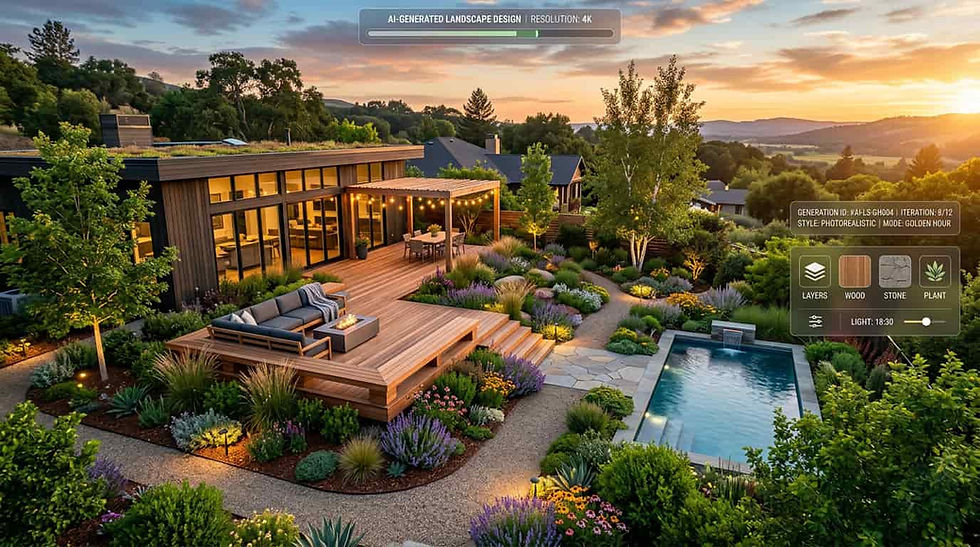
Generative AI tools have matured into practical collaboration assets. ArchiGPT enables teams to produce architectural concept visualizations from text prompts in seconds, bridging the gap between a verbal design brief and a visual starting point.
This speed transforms collaboration dynamics. Clients and real estate professionals can participate in ideation by seeing concepts materialize quickly rather than waiting days or weeks for manual renders.
Other AI tools in this space include Midjourney for general imagery and specialized architecture generators, though ArchiGPT focuses specifically on architecturally informed outputs designed for professional design workflows.
Project Management and Communication Platforms
Project management tools like Asana, Monday.com, and Procore organize tasks, deadlines, and responsibilities. For architecture firms, tools with document markup and RFI tracking capabilities add significant value to collaborative workflows.
Communication platforms such as Microsoft Teams and Slack centralize conversations by project or discipline. Channel-based communication prevents the scattered inbox problem that plagues email-dependent teams.
Real-Time Rendering and Visualization Tools
Real-time rendering tools like Enscape and Twinmotion allow collaborative design reviews where stakeholders walk through spaces together. These tools connect directly to BIM models, so changes reflect immediately in the visual environment.
For client presentations and marketing, real-time rendering eliminates the multi-day wait for traditional render farms. Teams iterate on materials, lighting, and spatial arrangements during live meetings.
Tool Comparison - Features, Pricing, and Best Fit
The following comparison reflects general market positioning as of early 2026. Pricing tiers and feature availability may vary - verify current offerings directly with each vendor.

How AI Is Transforming Architecture Design Collaboration?
From Weeks to Minutes - AI-Accelerated Concept Generation
Traditional concept development often requires days or weeks of manual sketching and rendering. Generative AI compresses this to minutes. A design team can explore dozens of massing options, facade treatments, or interior configurations in a single working session.
This acceleration changes how teams collaborate on architectural projects. Instead of reviewing one concept per meeting cycle, teams evaluate multiple directions simultaneously. Decision-making speeds up because stakeholders compare options side by side rather than waiting for sequential iterations.
How Generative AI Enables Client Co-Creation?
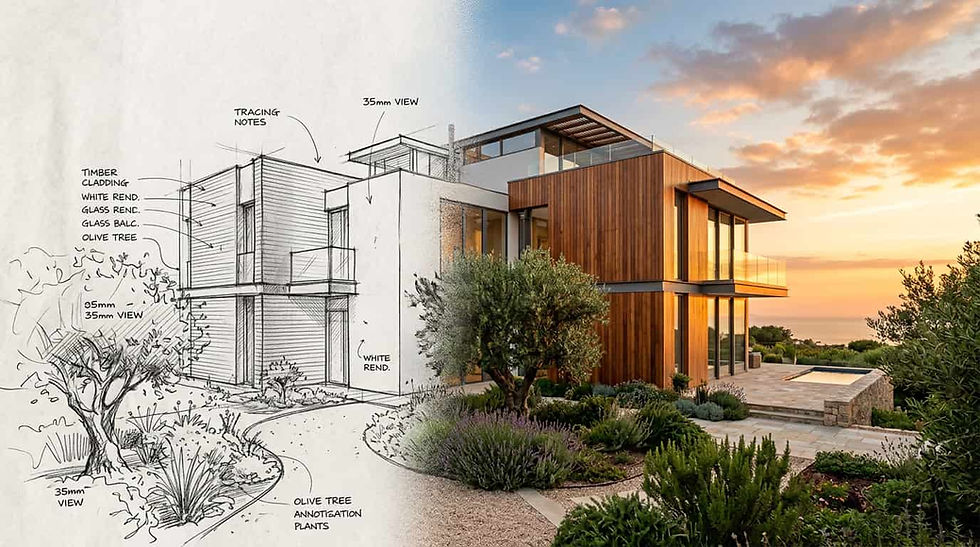
Non-technical stakeholders often struggle to interpret floor plans and technical drawings. AI visualization tools translate verbal preferences into images that clients immediately understand and react to.
This capability transforms client meetings from presentation-and-feedback sessions into co-creation workshops. Clients describe what they want, the AI generates a visual, and the team refines in real time. The result is faster alignment and fewer revision cycles.
ArchiGPT - AI-Powered Collaboration From Ideation to Documentation
ArchiGPT occupies the space between freeform brainstorming and technical BIM execution. It generates architecturally informed concepts that respect spatial logic, material realism, and stylistic consistency.
For collaborative design workflows, ArchiGPT enables several key functions:
Rapid concept exploration during design charrettes and client workshops
Style variation generation for team review and comparison
Visual communication bridging between architects and non-design stakeholders
Inspiration references that inform detailed BIM modeling downstream
Quick visualization of design alternatives for real estate marketing
By producing high-quality visuals at the speed of conversation, ArchiGPT removes the traditional bottleneck between having an idea and seeing it. Teams spend less time waiting for renders and more time making decisions together. Features like generating moodboards from renders help teams align on aesthetic direction during early collaborative sessions.
Integrating AI Outputs Into BIM and Team Workflows
AI-generated concepts serve as visual briefs for BIM modelers. Rather than interpreting written descriptions, the modeling team receives clear visual targets that reduce ambiguity and rework.
The most effective workflow combines AI for rapid ideation with BIM for technical execution. This hybrid approach lets creative exploration happen without slowing down the documentation pipeline. Teams adopting this model typically report faster schematic design phases and fewer misalignment issues during design development, though results vary by project complexity and team experience.

How to Build a Collaborative Design Workflow? Step by Step
Step 1 - Define Project Scope and Assign Roles
Begin every project with a collaboration kickoff meeting. Define deliverables, milestones, and decision authority. Use a RACI matrix (Responsible, Accountable, Consulted, Informed) to clarify who owns each design element.
Ambiguity in role definition is a primary cause of duplicated effort and territorial conflicts on design teams.
Step 2 - Select a Shared Design Platform
Choose a central platform that all team members can access. For BIM-centric projects, this means selecting Revit, ArchiCAD, or Vectorworks based on team competency and project requirements.
Layer supplementary tools around this core. Add ArchiGPT for concept generation, Miro for workshop facilitation, and Enscape for visualization reviews. Review ArchiGPT's available plans to determine which tier matches your team's collaboration needs.
Step 3 - Establish Version Control and Naming Conventions
Document naming conventions before any files are created. Follow AIA CAD layer standards or your firm's adapted version. Include project number, discipline code, sheet type, and revision number in every filename. The National BIM Standard-United States provides a comprehensive framework for teams establishing or refining their BIM protocols.
Implement check-in/check-out protocols for BIM worksharing. Set automatic backup schedules and designate a BIM manager responsible for model integrity.
Step 4 - Schedule Iterative Design Reviews
Establish regular design review cadences - weekly during schematic design, bi-weekly during design development. Use structured review agendas that address coordination issues, client feedback, and open design questions.
Record decisions in a centralized log accessible to all team members. This prevents revisiting resolved issues and creates an audit trail for the project record.
Step 5 - Use AI to Accelerate Ideation Cycles
Integrate AI concept generation into your architecture design collaboration process. Before committing to detailed modeling, use tools like ArchiGPT to explore multiple directions quickly. Present AI-generated options to clients and stakeholders to align on direction before investing in BIM development.
This step alone can help eliminate one to two full revision cycles from the schematic design phase, depending on project scope and client engagement.
Step 6 - Document Decisions in Real Time
Every collaborative session should produce a written decision record. Capture what was decided, who approved it, what alternatives were rejected, and why. Store these records in your project management platform, not in email threads.
Real-time documentation prevents scope creep and protects firms from disputes over design intent during construction administration.

Best Practices for Cross-Disciplinary Design Collaboration
Establishing a Common Design Language Across Disciplines
Create a shared glossary of terms at project kickoff. When architects say "curtain wall" and interior designers say "glazed partition," the team needs to agree on a single term for each element in the shared model.
Visual references outperform written descriptions for cross-disciplinary alignment. Use AI-generated concept images and moodboards as a common reference point that transcends disciplinary jargon.
Balancing Creative Freedom With Project Constraints
Define clear design boundaries early. Budget limits, applicable building codes, zoning setbacks, and structural constraints form the non-negotiable frame within which creative exploration happens.
Within those boundaries, encourage divergent thinking. The best collaborative design teams separate brainstorming sessions (where all ideas are valid) from evaluation sessions (where feasibility filters apply).
Collaboration Protocols for Architects and Interior Designers
Interior design coordination works best when interior designers join during schematic design rather than after architectural plans are fixed. Early involvement allows ceiling heights, partition locations, and MEP routing to accommodate interior requirements.
Share floor plans at 50 percent completion for early interior feedback
Co-locate furniture layouts and architectural plans in the same BIM model
Conduct joint material selection sessions to prevent specification conflicts
Agree on finish schedule ownership and update responsibilities
Use AI visualization to test different interior design styles within the architectural shell
Engaging Non-Design Stakeholders Without Creating Bottlenecks
Clients, investors, and real estate professionals need to participate without slowing the design team. Provide them with curated review packages - not raw BIM models - that focus on decisions they can meaningfully influence.
AI-generated visualizations serve this purpose well. Stakeholders review realistic images rather than technical drawings, provide clear feedback, and the design team translates that feedback into model changes without unnecessary back-and-forth. For presentations requiring human context, teams can quickly add people to architectural renders to help clients envision occupied spaces.
Real-World Examples of Successful Architecture Design Collaboration
Small Studio - Streamlining Client Collaboration With AI
A five-person residential architecture studio in Austin adopted ArchiGPT for client-facing concept presentations. Previously, the team spent approximately 15 to 20 hours per project preparing initial concept renders. With AI-generated visualizations, they now produce three to five concept options in under two hours.
The reported result: client approval cycles dropped from approximately three weeks to under one week. The studio was able to take on significantly more projects annually without adding headcount because the visualization bottleneck was substantially reduced.
Multi-Office Firm - Managing Cross-Timezone BIM Collaboration
A 200-person firm with offices in New York, Chicago, and San Francisco implemented a "follow the sun" BIM workflow. Each office owns specific model elements and checks work in at the end of their day. The next timezone picks up where the previous left off.
They paired this with weekly cross-office design reviews using Enscape walkthroughs. The firm reported that coordination conflicts decreased notably in the first six months. The key success factor was a dedicated BIM coordinator in each office enforcing naming conventions and model standards.
Real Estate Agency - From Brief to Visualization in Days
A commercial real estate development firm in Miami needed marketing visuals for a mixed-use project before architectural plans were complete. Using ArchiGPT, the marketing team generated facade studies and interior atmosphere images from the design brief alone.
These visuals supported a pre-leasing campaign that helped secure strong occupancy commitments before construction began. The speed of AI visualization gave the agency a competitive advantage in a fast-moving market. The team also used capabilities like exploring different building perspectives to create varied marketing materials from a single concept.
Urban Planning Team - Community-Driven Design Collaboration
An urban planning team in Denver used collaborative visualization to engage community stakeholders in a neighborhood redevelopment project. They generated AI concept images showing proposed streetscape improvements and presented them at public forums.
Community members provided feedback on visual options rather than abstract site plans. The planning team reported that public engagement timelines shortened meaningfully because residents could understand and support proposals they could actually see - a common benefit observed when technical drawings are translated into accessible visual formats.
Downloadable Resources and Collaboration Templates
Design Collaboration Kickoff Checklist
Start every project with a structured kickoff. A comprehensive checklist covers platform selection, role assignment, communication cadence, file naming conventions, and review schedule establishment. It ensures nothing falls through the cracks during the critical first week.
Role Assignment and RACI Template for Design Teams
Clarity prevents conflict. A well-structured RACI template pre-configured for typical architecture project roles - principal, project architect, BIM manager, interior designer, structural engineer, MEP consultant, and client representative - provides a strong starting point. Customize it to your team structure and project scale.
Tool Selection Decision Framework
Not sure which collaboration tools fit your workflow? A decision framework that walks through team size, project complexity, budget constraints, and interoperability requirements helps teams arrive at a tailored tool stack. Include scoring criteria for BIM platforms, AI generators, and project management solutions.
These types of resources complement AI design capabilities with the process infrastructure teams need to collaborate effectively. Learn more about ArchiGPT's mission and approach to supporting collaborative architecture workflows.
Frequently Asked Questions
What is architecture design collaboration?
Architecture design collaboration is the structured process of multiple stakeholders - architects, engineers, interior designers, clients, and consultants - co-creating building and space designs using shared tools, workflows, and communication protocols. It spans all project phases from initial concept through construction documentation and ensures alignment between disciplines.
Why is collaboration important in architecture?
Collaboration reduces rework, shortens project timelines, and improves design quality through diverse expertise. Industry research from organizations like McKinsey and the AIA suggests that integrated project delivery approaches can reduce coordination-related rework by 20 to 30 percent. Effective collaboration prevents costly coordination errors during construction, enhances client satisfaction through better communication, and ensures that all disciplines align before expensive commitments are made in the field.
What tools do architects use for design collaboration?
Architects use BIM platforms like Revit, ArchiCAD, and Vectorworks for technical collaboration. Cloud-based tools like Miro support early ideation. AI generators like ArchiGPT accelerate concept visualization. Project management platforms such as Procore and Monday.com coordinate tasks. Real-time renderers like Enscape and Twinmotion facilitate visual design reviews.
How does BIM support collaborative design?
BIM (Building Information Modeling) supports collaboration by providing a shared three-dimensional model that multiple disciplines edit simultaneously. It enables clash detection between systems, maintains version history, enforces data standards through templates, and exports to interoperable formats like IFC so consultants using different software can coordinate effectively.
Can AI help with architecture design collaboration?
Yes. AI accelerates collaboration by generating concept visualizations in minutes rather than the days or weeks typically required for manual rendering. Tools like ArchiGPT enable non-technical stakeholders to participate in design discussions through instant imagery. AI also assists with design variation exploration, style iteration, and bridging communication gaps between architects and clients or developers.
How do architects collaborate with interior designers?
Effective architect-interior designer collaboration requires early involvement during schematic design. Teams share partially complete floor plans for interior feedback, co-locate layouts in shared BIM models, conduct joint material selection sessions, and use visualization tools to test interior schemes within the architectural shell before finalizing plans.
What are the biggest challenges in architectural collaboration?
The most common challenges include version control conflicts when multiple people edit shared files, communication breakdowns caused by disciplinary jargon differences, timezone coordination for remote teams, and resolving design conflicts between stakeholders with competing priorities. Inconsistent software ecosystems and lack of standardized protocols compound these issues.
How do you manage design collaboration across remote teams?
Remote design collaboration requires cloud-based BIM access, structured communication channels, clear timezone-aware schedules, and asynchronous review protocols. Teams implement check-in/check-out workflows, use real-time rendering for virtual walkthroughs, and maintain centralized decision logs so all members stay aligned regardless of location or working hours.