
Updated on: 20 May 2026
Previous post
Add paragraph text. Click “Edit Text” to update the font, size and more. To change and reuse text themes, go to Site Styles.
Next post
Add paragraph text. Click “Edit Text” to update the font, size and more. To change and reuse text themes, go to Site Styles.
Every building starts as an idea, but the path from concept to construction has never moved faster than it does right now. AI for architecture is reshaping how professionals design, visualize, analyze, and document the built environment - compressing weeks of work into hours and opening design possibilities that were computationally impractical just a few years ago.
Whether you are an architect exploring generative massing, an interior designer producing client-ready mood boards, or a real estate agency seeking rapid marketing renders, AI tools now exist for every stage of your workflow.
This guide walks you through what AI means for architectural practice in 2026, which tools lead the market, how to integrate them into your existing software stack, and how to choose the right solution for your specific role and project type.
What Is AI for Architecture?
AI for architecture is the application of artificial intelligence technologies - including machine learning, generative algorithms, computer vision, and natural language processing - to assist architects and design professionals in tasks such as concept generation, rendering, site analysis, space planning, building performance simulation, and construction documentation.
Unlike generic AI image generators, architecture-specific AI is trained to understand spatial relationships, building codes, material properties, and environmental context. This domain awareness allows it to produce outputs that are more directly useful within a professional design workflow rather than merely visually interesting.
How Artificial Intelligence Works in Architectural Design?
At its core, AI in architecture relies on pattern recognition. Machine learning models are trained on large datasets of floor plans, building geometries, material specifications, and environmental data. Once trained, these models can predict, generate, and optimize design solutions based on constraints you define.
For example, a generative design model might receive inputs like site boundaries, program requirements, solar orientation, and budget limits. It then produces numerous massing options ranked by performance criteria - a breadth of exploration that a human team could not accomplish manually in the same timeframe.
Key AI Technologies Used in Architecture
Machine learning (ML): Algorithms that improve through exposure to data - used for energy modeling, cost estimation, and structural optimization.
Generative adversarial networks (GANs): Two neural networks that compete to produce realistic images - used for photorealistic rendering and texture generation.
Diffusion models: The backbone of tools like Stable Diffusion and DALL-E - used for text-to-image architectural visualization.
Computer vision: Systems that interpret images and 3D scans - used for as-built documentation, defect detection, and site monitoring.
Natural language processing (NLP): Models that understand text prompts - enabling architects to describe designs in words and receive visual or parametric outputs.
Neural radiance fields (NeRF): AI that reconstructs 3D scenes from 2D photographs - used for site capture and immersive walkthroughs.
What Is Generative Design in Architecture?
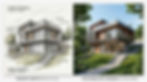
Generative design is a computational approach where algorithms create multiple design alternatives based on defined goals and constraints. Unlike parametric modeling, which requires the designer to define relationships manually, generative design autonomously explores the solution space.
An architect sets objectives - maximize daylight, minimize structural material, maintain circulation paths - and the AI produces dozens or hundreds of options. The architect then evaluates, selects, and refines the most promising solutions.
How AI Is Transforming Architecture in 2026?
The Shift From Manual Design to Computational Intelligence
Architecture has always relied on computation - from early CAD adoption in the 1980s to BIM in the 2000s. The current shift is different in kind, not just degree. AI does not merely execute commands; it proposes solutions, identifies patterns, and learns from feedback.
This means that repetitive tasks - generating door schedules, tagging elements in BIM models, producing rendering variations - are increasingly handled by AI. Architects can spend more time on creative direction, client engagement, and strategic decision-making.
AI Adoption Rates Among Architecture Firms
Industry surveys from organizations such as the AIA (American Institute of Architects) and major technology firms suggest that a significant majority of mid-to-large architecture firms now use at least one AI tool in their workflow.
Adoption is highest in rendering and visualization, followed by generative concept design and document automation. Small firms and solo practitioners are adopting AI rapidly in some categories, particularly rendering.
The low barrier to entry of tools like Midjourney and ArchiGPT allows professionals without dedicated visualization departments to produce client-quality imagery.
Real-World Projects Using AI in Architecture
Zaha Hadid Architects has publicly integrated AI-driven form-finding into several projects, using machine learning to optimize structural geometries and facade patterns. Their computational design team uses AI to reduce material waste while maintaining complex curvature.
SOM (Skidmore, Owings & Merrill) has developed internal AI tools that analyze urban context and generate massing options for high-rise projects. These tools consider wind loads, shadow impacts, and view corridors simultaneously - a multi-objective optimization that would take significantly longer to explore manually.
In the residential sector, firms like ICON combine AI-driven design with robotic construction to produce 3D-printed homes. AI optimizes the structural geometry for the printing process while maintaining livability and aesthetic goals.

Best AI Tools for Architects and Designers
The AI architecture tool landscape has matured significantly. Below is a curated overview of the most relevant tools for architects and designers, segmented by primary function. The best choice depends on your role, project phase, and existing software stack.
AI Tools for Generative Design and Concept Exploration
ArchiGPT - Architecture-specific AI designed to understand building design context, generate floor plans, massing studies, and design narratives from text prompts.
Autodesk Forma (formerly Spacemaker) - Cloud-based generative design for early-stage site planning, daylighting, and wind analysis.
Hypar - Parametric and generative design platform for rapid building option generation within defined constraints.
TestFit - AI-powered feasibility engine for real estate developers - generates unit mix options and parking configurations.
AI Tools for Architectural Rendering and Visualization
ArchiGPT - Produces architecture-aware renders from sketches, 3D models, or text descriptions with material and lighting control.
Midjourney - General-purpose text-to-image AI with strong architectural aesthetics, useful for concept imagery and mood boards.
Gendo - Integrates with SketchUp and Rhino for viewport-to-render AI visualization.
Stable Diffusion (with ControlNet) - Open-source diffusion model that accepts architectural drawings as structural guides for image generation.
DALL-E 3 - OpenAI's image generator with improved spatial reasoning for architectural scenes.
AI Tools for Documentation and BIM Automation
Swapp AI - Automates construction documentation from BIM models, producing drawing sets with AI-driven annotation.
BIM AI plugins for Revit - Various plugins that automate element classification, clash detection narratives, and schedule generation.
Autodesk AI Assistant - Integrated into Revit and AutoCAD for natural language queries about model data and automated tagging.
AI Tools for Site Analysis and Urban Planning
Autodesk Forma - Comprehensive site analysis including noise, wind, daylight, and microclimate simulation.
Morphocode Explorer - Urban data analytics for understanding neighborhood patterns and density.
Replica (formerly Sidewalk Labs) - AI-powered mobility and pedestrian flow modeling for urban design.
Comparison Table: AI Architecture Tools at a Glance

AI-Powered Rendering and Architectural Visualization
How AI Rendering Works for Architecture?
AI rendering uses diffusion models or GANs to generate photorealistic images from inputs like text prompts, sketches, or 3D model viewports. Unlike traditional ray-tracing engines that calculate light physics pixel by pixel, AI models predict what the final image should look like based on patterns learned from training data.
The typical workflow is straightforward: export a viewport or sketch from your design tool, provide a text prompt describing materials, lighting, and atmosphere, and receive a rendered image in seconds.
More advanced setups use ControlNet to preserve architectural edges and proportions from the source geometry.
AI Rendering vs. Traditional Rendering: Speed, Cost, and Quality
The key insight is that AI rendering and traditional rendering are not mutually exclusive. Most firms use AI renders for early-stage exploration and client feedback, then switch to traditional engines for final deliverables requiring geometric precision.
Best Practices for AI Architectural Visualization
Always provide structural input (sketch, wireframe, or viewport) to maintain architectural accuracy rather than relying on text alone.
Use specific architectural prompts - reference materials (polished concrete, white oak, blackened steel) rather than vague style descriptors.
Generate multiple variations and composite the best elements rather than expecting a single perfect output.
Apply AI upscaling for final resolution - most AI renders output at 1024px and benefit from dedicated upscaling models.
Clearly label AI renders as conceptual in client presentations to set appropriate expectations about the final design.
How ArchiGPT Approaches AI Rendering for Architects?
ArchiGPT differs from general-purpose image generators by maintaining architectural context awareness. When you describe a residential facade, ArchiGPT is designed to understand window-to-wall ratios, material junctions, and scale relationships that general tools often distort.
The platform accepts inputs from Revit, Rhino, and SketchUp viewports, preserving your design intent while applying photorealistic materials and environments. This bridges the gap between the speed of AI rendering and the precision architects require.
You can also generate a render from an elevation drawing to quickly visualize facade concepts.

How to Use AI in Your Architecture Workflow?
Step-by-Step: Integrating AI Into Your Design Process
Audit your current workflow. Identify repetitive tasks, bottlenecks, and phases where you spend disproportionate time - these are prime AI candidates.
Start with one use case. Choose a single AI application (e.g., concept rendering or document tagging) rather than attempting a full workflow overhaul.
Select a tool with native integration. Prioritize AI tools that plug into your existing software (Revit, Rhino, SketchUp, ArchiCAD) to minimize disruption.
Run a parallel test project. Use AI alongside your traditional process on a real project to compare speed, quality, and accuracy.
Refine your prompts and inputs. AI output quality depends heavily on input quality. Invest time learning prompt engineering for architecture.
Expand gradually. Once one AI integration is stable, add the next - rendering, then generative design, then documentation.
Establish quality gates. Define clear checkpoints where a human professional reviews AI output before it reaches clients or construction documents.
AI and BIM: Working With Revit, ArchiCAD, and Rhino
Modern AI tools increasingly offer direct integrations with industry-standard BIM platforms. In Autodesk Revit, AI plugins can automate element classification, generate schedules from natural language queries, and produce rendering variations from model views.
Rhino and Grasshopper remain the most flexible environment for AI integration. Python scripting within Grasshopper allows direct API calls to machine learning models, enabling real-time generative design loops that update parametric geometry based on AI analysis.
ArchiCAD users benefit from AI-assisted library element placement and energy modeling integrations. SketchUp connects to tools like Gendo and ArchiGPT for AI rendering directly from the viewport.
Using AI for Schematic Design and Massing Studies
Schematic design is where AI delivers some of its most significant productivity gains. Instead of manually sketching three massing options, an architect can generate thirty - each evaluated against solar access, views, floor area ratios, and structural efficiency.
Tools like ArchiGPT and Autodesk Forma enable this exploration within minutes. The architect provides site constraints and program requirements, and the AI produces options ranked by performance metrics.
For example, you can explore different perspectives of a building to evaluate massing from multiple viewpoints before committing to a direction.
AI in Design Development and Construction Documentation
During design development, AI assists with material specification research, detail generation, and performance optimization. Large language models can query product databases and suggest assemblies that meet specific thermal, acoustic, or fire-rating requirements - though professional verification remains essential.
In construction documentation, AI is beginning to automate drawing production from BIM models. Tools like Swapp AI generate coordinated drawing sets with annotations, dimensions, and keynotes - reducing a task that typically takes weeks to days.
Human review remains essential for code compliance and constructability verification. ArchiGPT also supports converting images to 2D technical drawings for faster documentation workflows.
Common Integration Challenges and How to Overcome Them
File format friction: Ensure your AI tool accepts your native file formats or standard exports (IFC, FBX, OBJ, DWG).
Team resistance: Start with willing early adopters and demonstrate time savings before firm-wide rollout.
Output inconsistency: Establish prompt templates and input standards to produce reliable, repeatable results.
Data privacy concerns: Verify that your AI provider's terms protect your design IP and client confidentiality.
Over-reliance risk: Maintain critical evaluation skills - AI outputs always require professional judgment before use in formal deliverables.

AI for Interior Design and Space Planning
How Interior Designers Use AI for Space Planning and Visualization?
Interior designers have embraced AI rapidly. The visual nature of interior work - mood boards, material palettes, spatial compositions - aligns well with AI image generation capabilities.
Today, interior designers use AI to generate initial concept imagery from text descriptions, explore color and material combinations at scale, produce client-ready visualizations without hiring external renderers, and automate furniture layout optimization.
AI-Powered Layout Optimization for Interiors
AI excels at space planning because it can evaluate hundreds of layout permutations against measurable criteria - circulation efficiency, natural light distribution, furniture clearances, and accessibility requirements. What might take a designer several hours to test manually, AI can accomplish in minutes.
For commercial interiors - offices, retail, hospitality - AI layout tools can optimize occupancy, workflow adjacencies, and wayfinding simultaneously. The designer selects from ranked options rather than starting from scratch each time. Features like placing furniture in a room automatically streamline the arrangement process considerably.
Generating Design Concepts and Mood Boards With AI
A practical AI-assisted mood board workflow looks like this: Describe the design direction in a text prompt (e.g., "warm minimalist living room, white oak, boucle, natural light, Japanese influence"). Generate 10 to 20 concept images. Curate the best results into a cohesive presentation board. Refine specific elements by adjusting prompts.
This process replaces hours of image sourcing from Pinterest or stock libraries. ArchiGPT and similar tools produce original imagery that matches your specific design direction rather than requiring compromise with available stock photography. You can also generate a mood board directly from a render to maintain visual consistency throughout the design process.
Client Communication: Using AI Renders for Interior Design Presentations
AI renders significantly improve client communication for interior designers. Instead of asking clients to imagine a space from flat material samples, you can show them photorealistic visualizations of their specific room with proposed finishes, furniture, and lighting.
The speed of AI rendering means you can iterate during client meetings - adjusting colors, swapping materials, or testing layouts in near real time.
This reduces revision cycles and can accelerate project approval timelines. Tools that let you change the design style of an interior with a single prompt make live client explorations practical.

AI in Urban Planning and Site Analysis
How Urban Planners Leverage AI for City Design?
Urban planning operates at a scale where AI's ability to process massive datasets becomes particularly valuable. City-level decisions involve thousands of variables - population density, transportation networks, infrastructure capacity, environmental systems, and regulatory frameworks.
AI tools synthesize these inputs to model development scenarios, predict outcomes, and identify potential strategies. What previously required months of consultant analysis can now be explored iteratively in significantly less time.
AI-Driven Environmental and Climate Analysis for Site Planning
Tools like Autodesk Forma use AI to simulate wind patterns, solar exposure, noise propagation, and microclimate effects at the site and district scale. These analyses inform building placement, orientation, and massing decisions early in the planning process.
Climate analysis AI can also model projected future conditions - estimating how rising temperatures, changing precipitation patterns, or sea level rise may affect a development over its lifespan.
This supports sustainable design and climate resilience planning, though results should be validated against established climate science projections.
Zoning Optimization and Regulatory Compliance Tools
AI is increasingly capable of parsing complex zoning codes and overlaying regulatory constraints onto design options. Instead of manually checking setbacks, height limits, FAR calculations, and use restrictions, AI tools can flag potentially non-compliant elements and suggest modifications.
This accelerates the feasibility assessment phase and can reduce the risk of costly redesigns due to overlooked regulations.
For urban professionals managing multiple jurisdictions, AI-assisted zoning compliance provides consistency and speed - though human verification by a qualified professional remains necessary for formal submissions.
At the site representation level, designers can use AI to color and annotate site plans for clearer stakeholder presentations.
Pedestrian Flow and Traffic Modeling With AI
Pedestrian flow modeling powered by AI simulates how people move through public spaces, transit hubs, and mixed-use developments. These simulations inform decisions about pathway widths, entrance placement, wayfinding, and emergency egress.
AI traffic models extend beyond vehicles to include cyclists, transit riders, and delivery logistics. The result is more holistic mobility planning that accounts for multimodal transportation systems and evolving urban patterns.
AI for Real Estate Agencies and Development
How Real Estate Professionals Use AI Architecture Tools?
Real estate agencies and developers are among the fastest-growing user segments for AI architecture tools. Their needs differ from practicing architects - they prioritize speed, visual impact, and commercial insight over technical precision.
AI helps real estate professionals produce marketing materials faster, evaluate development feasibility earlier, and communicate design potential to investors and buyers without commissioning full architectural services for preliminary exploration.
AI-Generated Renderings for Property Marketing
Traditional architectural rendering for marketing purposes typically costs $500 to $5,000 per image and takes days to weeks depending on complexity. AI rendering can produce marketing-quality imagery in minutes at a fraction of the cost. For agencies listing multiple properties, this represents a meaningful efficiency gain.
AI-generated renders are particularly effective for pre-construction marketing, where physical spaces do not yet exist. Developers can produce lifestyle imagery showing future amenities, unit interiors, and neighborhood contexts to support pre-sales campaigns. Features like adding people to architectural renders bring these marketing visuals to life with human scale and activity.
Feasibility Studies and Development Analysis With AI
Tools like TestFit allow developers to rapidly test building configurations - unit counts, parking ratios, amenity placement, and gross-to-net efficiency - before committing to a design team. AI optimizes these variables against financial targets, zoning constraints, and market data.
This accelerates the go/no-go decision on acquisitions and can reduce the risk of investing in sites that cannot support profitable development. Feasibility analysis that once required weeks of consultant work can now be explored in hours - though results should inform, not replace, due diligence by qualified development professionals.
Virtual Staging and Renovation Visualization
Virtual staging using AI transforms empty or outdated property photos into furnished, styled imagery that appeals to buyers. Unlike traditional virtual staging services that charge per room and take days, AI staging tools produce results in minutes.
Renovation visualization goes further - showing buyers how a property could look after updates. AI can replace existing finishes with new materials, add extensions, or redesign kitchens and bathrooms from a single photograph. Results are conceptual and should be clearly labeled as AI-generated visualizations rather than construction commitments.
How to Choose the Right AI Architecture Tool?
Decision Matrix: Matching AI Tools to Your Role and Needs
Factors to Consider: Pricing, Learning Curve, and Output Quality
Pricing model: Subscription vs. per-render vs. enterprise licensing. Ensure the cost structure aligns with your project volume.
Learning curve: Tools requiring prompt engineering skills (Stable Diffusion) vs. more guided solutions (ArchiGPT) suit different team capabilities.
Output quality ceiling: Some tools produce compelling concept imagery but cannot maintain geometric accuracy for technical use.
Integration depth: Does the tool connect to your existing BIM platform or require a separate workflow?
Architecture-specific training: Tools trained on architectural data tend to produce more reliable building imagery than general-purpose generators.
Data privacy: Verify whether your uploaded designs are used for model training or remain confidential.
When to Use Multiple AI Tools Together?
Most professionals find that a combination of two or three AI tools covers their full workflow. A typical stack might include a generative design tool for concept exploration, an AI renderer for visualization, and a documentation AI for production efficiency.
The key is ensuring these tools share compatible file formats and do not create data silos. Choose platforms with open export options and clear API documentation for interoperability.
Why ArchiGPT Is Built for Architecture-Specific Workflows?
ArchiGPT is purpose-built for the architecture, interior design, and real estate sectors. Unlike general-purpose AI tools that treat buildings as just another image category, ArchiGPT is designed to understand architectural conventions - scale, proportion, material logic, spatial hierarchy, and program organization.
This specialization means fewer hallucinated elements, more contextually appropriate design suggestions, and outputs that integrate into professional workflows with less manual correction. For professionals who need reliability alongside speed, architecture-specific training makes a measurable difference in output quality. Explore the available plans and pricing to find the right fit for your practice.
Benefits and Limitations of AI in Architecture
Key Benefits: Speed, Exploration, Cost Reduction, and Accessibility
Speed: Tasks that took hours or days - rendering, massing studies, schedule generation - can now take minutes.
Design exploration: AI enables testing hundreds of options where budget previously limited teams to a handful.
Cost reduction: Reduced need for external rendering services, faster documentation production, and shorter project timelines.
Accessibility: Small firms and solo practitioners gain capabilities previously available only to large studios with dedicated computational design teams.
Consistency: AI maintains quality standards across repetitive tasks without fatigue-related variation.
Client engagement: Rapid visual communication improves client understanding and can accelerate decision-making.
Current Limitations: Accuracy, Context, and Professional Judgment
Hallucinated geometry: AI may generate structurally impossible elements, incorrect window proportions, or physically implausible details.
Code compliance blindness: Current AI tools do not reliably verify compliance with building codes, accessibility standards, or local regulations.
Context insensitivity: AI may produce designs inappropriate for site conditions, climate zones, or cultural contexts without explicit guidance.
Lack of liability framework: AI-generated designs do not carry professional responsibility - a licensed architect must verify and stamp all outputs.
Training data bias: Models trained primarily on Western architecture may underperform for vernacular or region-specific design requirements.
Rapid tool evolution: Features and capabilities change frequently, requiring ongoing evaluation of tools in your stack.
Can AI Replace Architects?
No. AI cannot replace architects, and the foreseeable trajectory does not point toward full replacement. Architecture involves ethical judgment, cultural interpretation, client relationship management, regulatory navigation, and creative vision that AI cannot replicate.
What AI does replace is drudgery - the repetitive, time-consuming computational tasks that can consume a significant portion of an architect's work week.
The profession is not being eliminated; it is being reshaped. Architects who effectively integrate AI will likely outperform those who do not, but AI without an architect produces output that is not ready for professional use.
The Human-AI Collaboration Model for Design Professionals
The most effective framework is human-AI collaboration - where AI handles exploration, computation, and repetition while the architect provides judgment, creativity, and accountability. Think of AI as an infinitely patient computational assistant who works at machine speed but always requires senior review.
This model preserves the architect's role as the decision-maker while expanding what a single professional or small team can accomplish. It is not human versus machine - it is human capability amplified by machine capability.
The Future of AI in Architecture
Emerging Trends: Autonomous Design and AI Agents
The next frontier is AI agents - systems that can execute multi-step design tasks with greater autonomy. Rather than responding to single prompts, these agents are being developed to manage entire workflows: receiving a design brief, generating options, running performance analyses, iterating based on results, and presenting refined solutions for human approval.
Early versions of agentic AI are appearing in computational design environments. Over the next few years, expect agents capable of managing larger portions of the concept-through-schematic design pipeline - though human oversight and approval will remain essential at key decision points.
AI in Construction and Robotic Fabrication
AI is extending beyond design into construction execution. Robotic fabrication guided by AI optimizes material use, reduces waste, and enables complex geometries that conventional construction methods cannot achieve economically.
Computer vision on construction sites monitors progress, detects deviations from BIM models, and identifies safety hazards in real time. The design-to-construction feedback loop is becoming more continuous rather than purely sequential.
How the Architecture Profession Will Evolve With AI?
The architecture profession will likely evolve toward roles that emphasize different human capabilities. Strategic design direction, community engagement, regulatory expertise, and creative authorship will become more valuable as AI handles more production tasks.
Firms that invest in AI literacy now position themselves for competitive advantages in client acquisition, project efficiency, and design quality. The learning curve is real but manageable - and early adopters frequently report that the investment pays back relatively quickly as workflows become established.
ArchiGPT's Vision for the Future of AI-Assisted Design
ArchiGPT is building toward a future where AI understands architecture as deeply as a well-trained designer - respecting context, code, constructability, and creative intent. The platform's development roadmap includes expanded BIM integration, agentic workflow capabilities, and real-time collaborative design with AI as a responsive partner.
The goal is not to replace the architect's role but to make every architect more capable, every firm more efficient, and every project more thoroughly explored before a single line is committed to construction documents. Learn more about ArchiGPT's mission and approach to architecture-specific AI.
Frequently Asked Questions
What is AI for architecture?
AI for architecture is the use of artificial intelligence technologies - including machine learning, generative design, computer vision, and natural language processing - to assist design professionals with tasks like concept generation, rendering, site analysis, space planning, and construction documentation. It augments human expertise rather than replacing it.
Can AI replace architects?
No. AI cannot replace architects because the profession requires ethical judgment, cultural interpretation, client relationships, regulatory expertise, and creative vision. AI handles repetitive computational tasks, freeing architects to focus on higher-value work. Architects who integrate AI effectively will likely outperform those who do not, but AI alone produces output that requires significant professional review and refinement before it is usable.
What is the best AI tool for architecture?
The best tool depends on your role and needs. ArchiGPT is designed for architecture-specific rendering and design generation. Autodesk Forma leads in site analysis and urban planning. Midjourney works well for concept imagery. TestFit serves real estate developers. Most professionals use two or three tools together for full workflow coverage.
How much do AI architecture tools cost?
Pricing ranges from free (Stable Diffusion open-source) to enterprise-level subscriptions ($500+ per month). Most professional tools fall in the $20 to $100 per month range for individual users. Enterprise platforms like Autodesk Forma and Swapp AI use custom pricing based on firm size and project volume. Check individual vendor pricing pages for current rates, as these change frequently.
Does AI work with Revit, Rhino, or AutoCAD?
Yes. Many AI tools offer direct integrations with major design platforms. ArchiGPT connects to Revit, Rhino, and SketchUp. Gendo integrates with SketchUp and Rhino viewports. Autodesk's AI features are embedded within Revit and AutoCAD. Grasshopper in Rhino supports custom AI plugin development through Python scripting.
Can AI create architectural renderings?
Yes. AI can produce photorealistic architectural renderings from text prompts, sketches, or 3D model viewports in seconds. While AI renders may lack the geometric precision of traditional ray-traced engines, they are highly effective for concept exploration, client communication, and marketing imagery. Professional review is recommended before using AI renders in formal deliverables.
How do I integrate AI into my architecture workflow?
Start by identifying repetitive tasks or bottlenecks in your current process. Choose one AI tool that integrates with your existing software. Run it alongside your traditional workflow on a real project. Refine your inputs and prompts for consistent results. Expand to additional use cases once the first integration is stable.
What is generative design in architecture?
Generative design is a computational method where AI algorithms create multiple design alternatives based on defined goals and constraints. The architect sets objectives like maximizing daylight or minimizing materials, and the AI explores the solution space - producing dozens or hundreds of options for human evaluation and selection.
Can real estate agencies use AI for design and marketing?
Yes. Real estate professionals use AI for marketing renders, virtual staging, renovation visualization, and development feasibility analysis. AI produces property imagery in minutes at a fraction of traditional rendering costs, making it practical for listings, pre-construction marketing, and investor presentations.